
The free Mail-Merge-Letter-Generator is the fastest and easiest way to create mail merge letters.
Thanks to the integration with Pingen, mail merge letters can be sent by postal mail with just one click. The mail merge letters are automatically printed and reliably delivered via post.
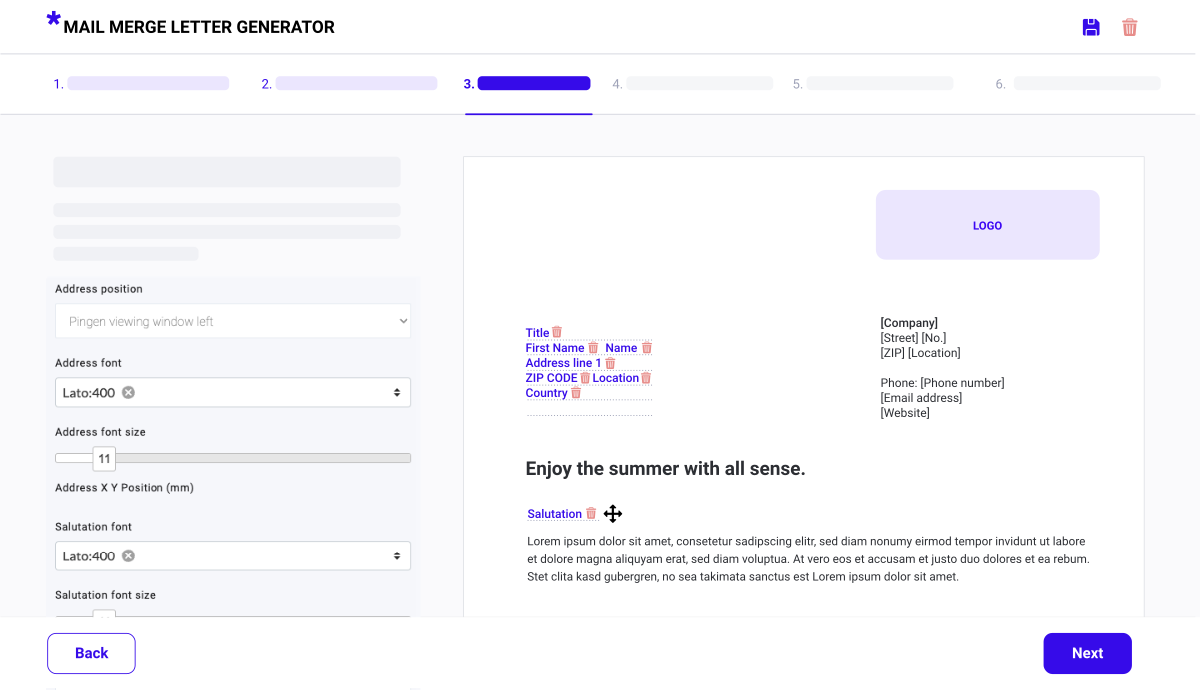
The Pingen integration of the Mail-Merge-Letter-Generator enables you to send your letters via postal mail in just 5 steps:
Create your mail merge letter using the Mail Merge Letter Generator.

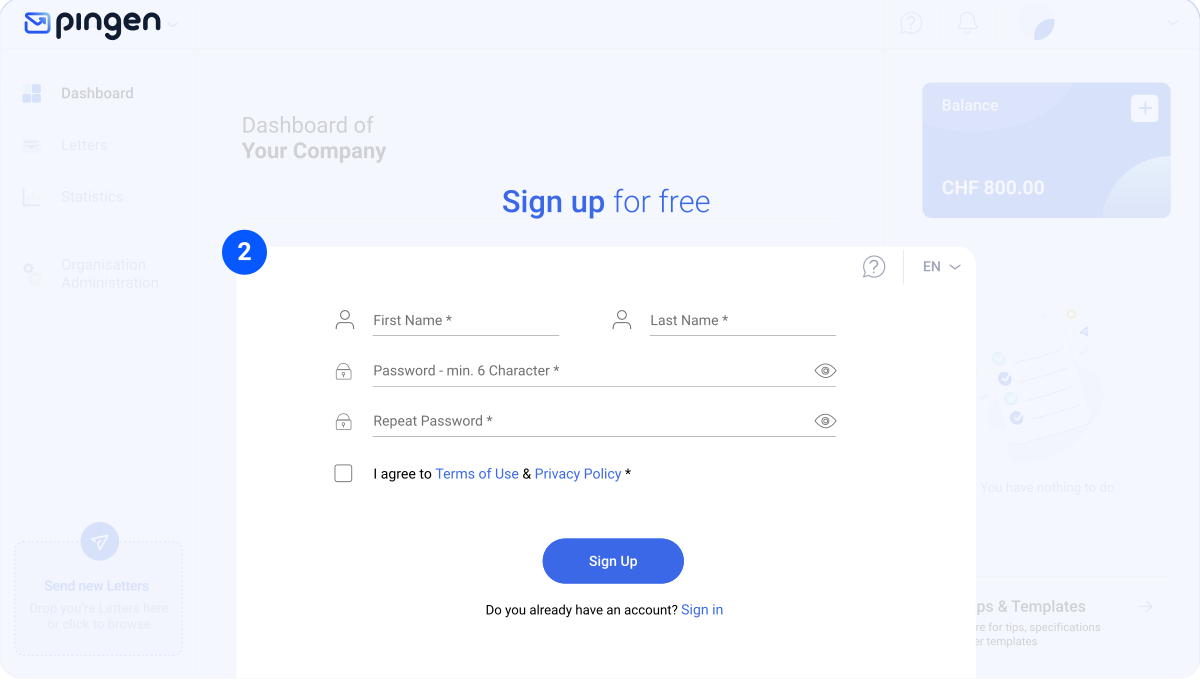
Register a free account with Pingen or log in to your existing Pingen account.
In the last step of the Mail-Merge-Letter-Generator, select the button "Connect to Pingen" and grant access to your Pingen account in the following screen.
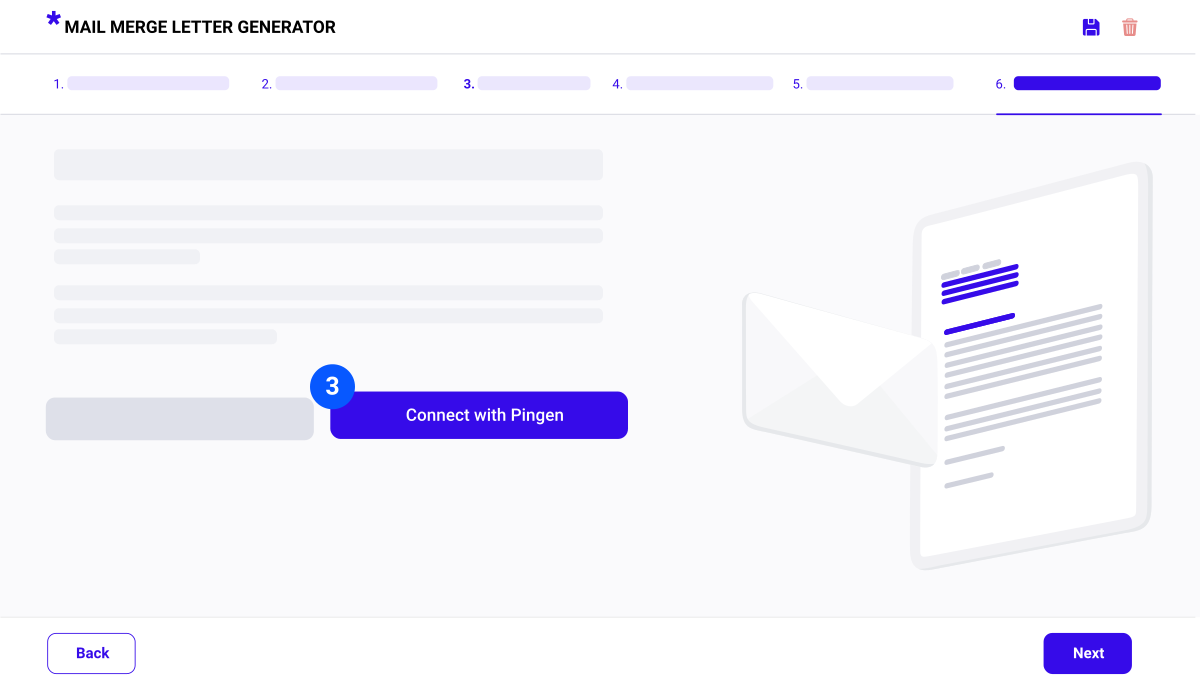
Click on the button "Transfer to Pingen" in the Mail-Merge-Letter-Generator, to transfer the mail merge letter to Pingen.

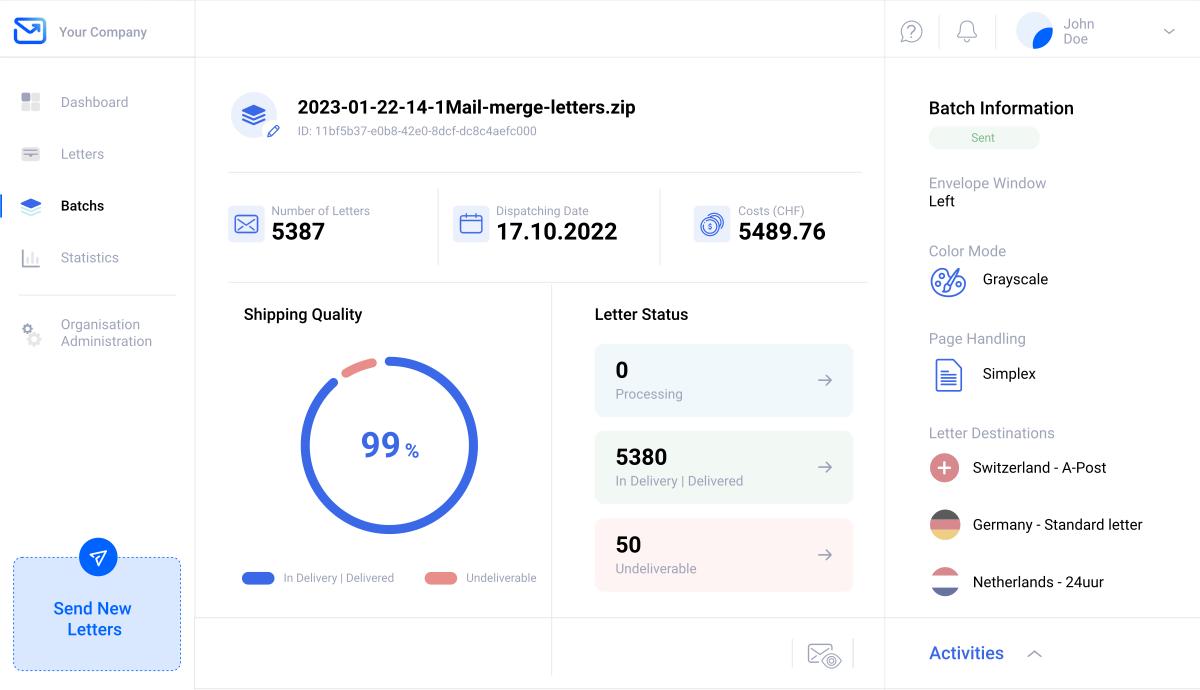
Now switch to the Pingen App, open "Batches" in the main navigation and send the batch with your mail merge letters.
After sending the batch, you can track the processing of your mail merge letters in real time. In addition, you also receive comprehensive statistics on the shipping quality and costs as well as on the destination countries of your mailing. This way you never lose track of your letters.
Pingen is an online mailing solution that reduces your efforts to a minimum when sending postal mailings. With Pingen, your business mail is sent online and automatically delivered worldwide by post.


The detailed tracking feature tells you whether a letter is still awaiting dispatch, is at the print facility or has already been handed to the post.

Returns are automatically marked as undeliverable in Pingen. This allows you to improve your address data for future maillings.

Pingen has an international print & delivery network. Your letters are printed as close as possible to the recipient and delivered by local post or DHL.

Do you have a monthly mailing volume of more than 5000 letters? Then you can benefit from individual prices and volume discounts!
Next to the Mail-Merge-Letter-Generator, Pingen can also be connected to other services. This way, you can integrate postal letters directly into your workflows and have more time for the important things.

Pingen offers various printing options and country-specific delivery methods.

Get started without worring about setup or plan fees thanks to our transparent prices.

Evaluate and optimise the quality and costs of your mailings using our detailed statistics.
Register an account for free and start sending your letters by post with just a few clicks.